
AI Visibility: Find the right queries to track with AlsoAsked

Table of contents
Introduction
When it comes to AI visibility, we don't have access to real user query data from AI tools like ChatGPT, Perplexity, or Gemini, which makes tracking prompts a serious challenge. But, we do have tools that will get us closer to real query data, like Google's People Also Ask and Search Console.
In this guide, I'll show you how to use these two readily available resources as starting points for tracking your visibility within LLMs. From there, you can customise the workflow to fit how you work. Let's begin.
The challenge: Why prompt research isn't the same as keyword research
When building a prompt list, the natural starting point is to think through what your audience might ask AI tools about:
- The problems they want solved.
- The brands or products they are comparing.
- The questions where your brand could be the answer.
Many AI visibility tools suggest prompts based on your brand name and category, often scraped from your website. The issue is that these prompts are not grounded in real search behaviour. They are generated from your content, so you have no way to know whether anyone is actually searching for them. Some prompts will be relevant; others will be too generic, too broad, or simply not how your audience phrases things. Without real user data behind them, it is hard to tell genuine demand from plausible-sounding guesses.
For a better starting point, look at how people actually search. This is where People Also Ask (PAA) and Google Search Console come in.
PAA questions are drawn from real searches. Google analyses search behaviour at scale to determine which questions people most commonly ask around a topic.
PAA questions are drawn from real searches. Google analyses search behaviour at scale to determine which questions people most commonly ask around a topic.
And because people have used longer, more conversational queries in Google for years, that data maps reasonably well to how they also prompt AI tools, making it a more reliable starting point than autogenerated prompts or guesswork.
How to find real queries to track
For this work I prefer to use Google Search Console and AlsoAsked.
Before we proceed, keep in mind that Google visibility and AI visibility do not always overlap. You can rank in Google without appearing in AI answers, and vice versa. But used together, they give you more query ideas to work with. From there, I take the most relevant queries and adapt them into prompts to track in LLMs.
People Also Ask data via AlsoAsked
In the People Also Ask section, you can see the questions Google associates with a given topic based on how people search for it. These reflect the problems your potential customers are trying to solve, including the ones they bring to AI tools when they are looking for recommendations, comparisons, or answers your brand could provide.
Let's look at an example and walk through the process of how to choose the right queries to track in your AI visibility work. As an example, I'll use Widetoes, the largest barefoot shoe eCommerce in the Nordics (as well as a client of mine now expanding into the UK).
For Widetoes, an example Google search query could be [What to look for when buying barefoot shoes?] or [Altra or Vivobarefoot shoes for running?].
The People Also Ask section of the Google results shows more questions related to your search query
For this top-of-the-funnel query, the PAA shows other questions someone new to barefoot shoes might ask, mostly around fit and sizing: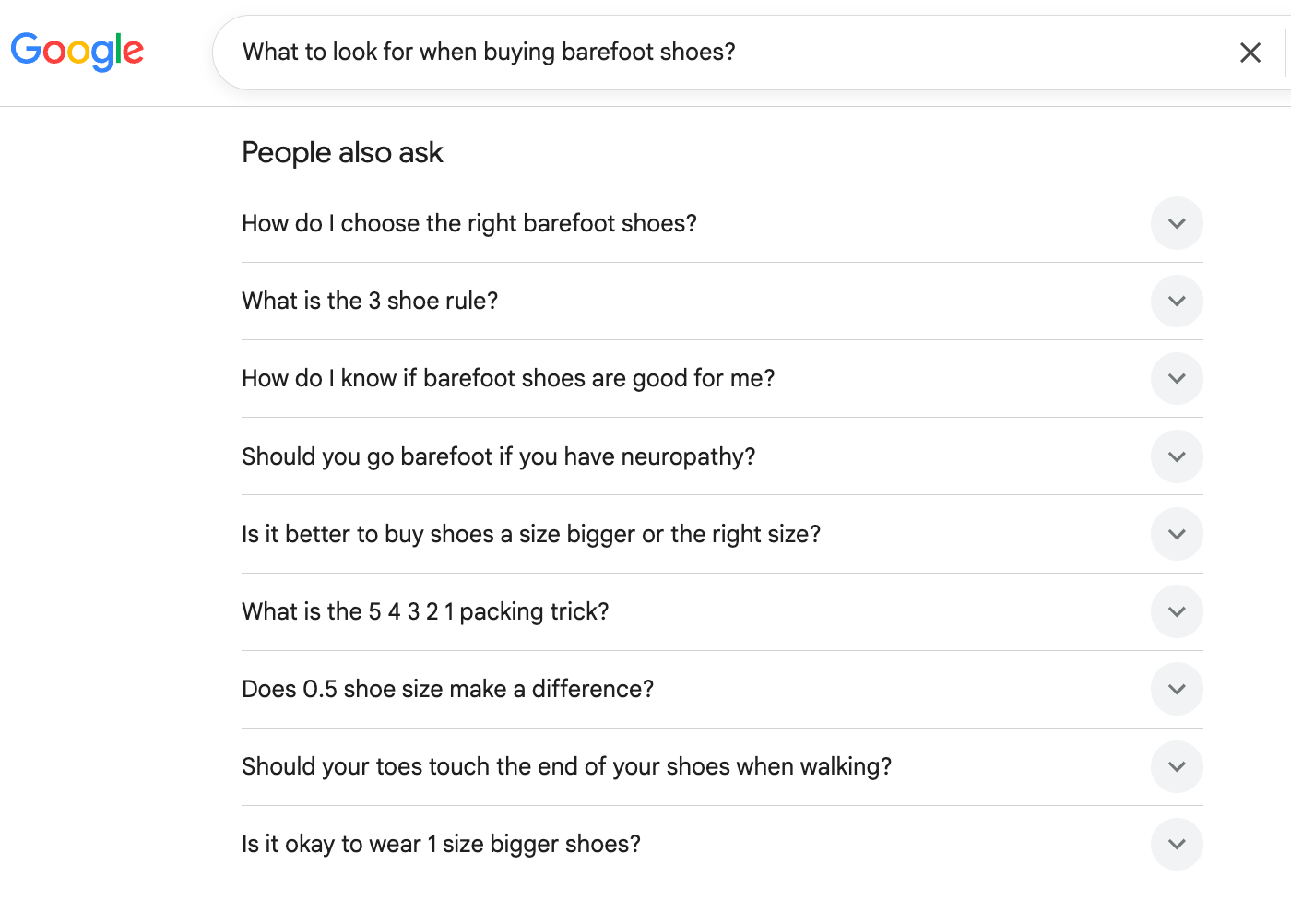
For this comparison query, the PAA mixes brand-versus-brand and running use-case questions, signalling someone choosing between options rather than learning the basics: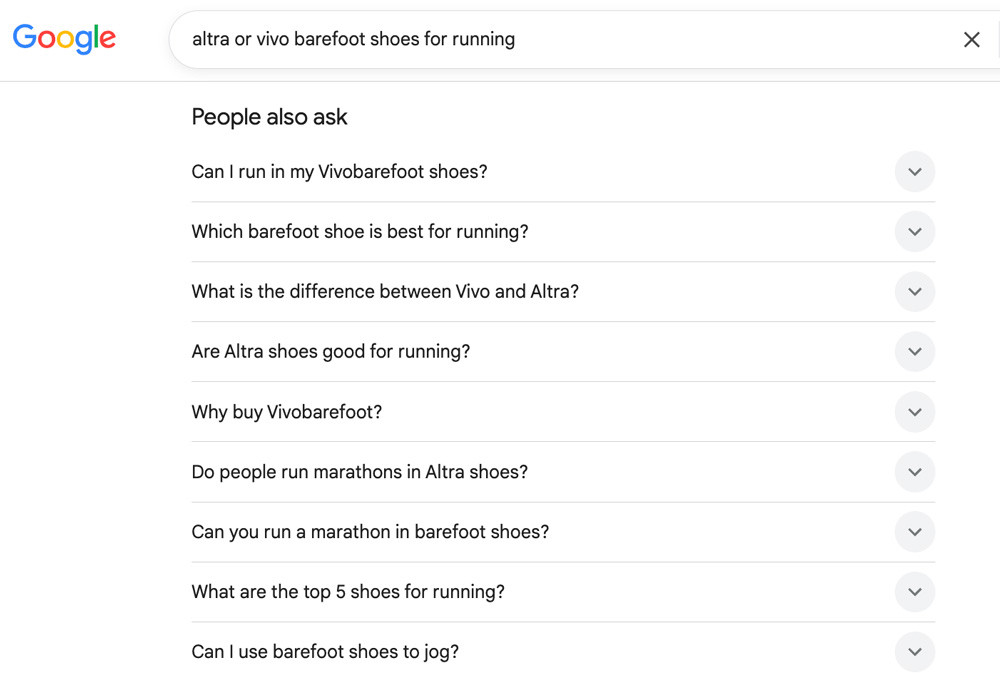
You can find the same queries in the AlsoAsked tool instead of manually searching each of your important keywords or topics. AlsoAsked runs a live search of Google's People Also Ask data and organises questions into a branching visual structure that shows how topics connect.
Instead of a flat list, you see how one question leads to the next, which helps you spot clusters of related questions and the angles you might otherwise miss.
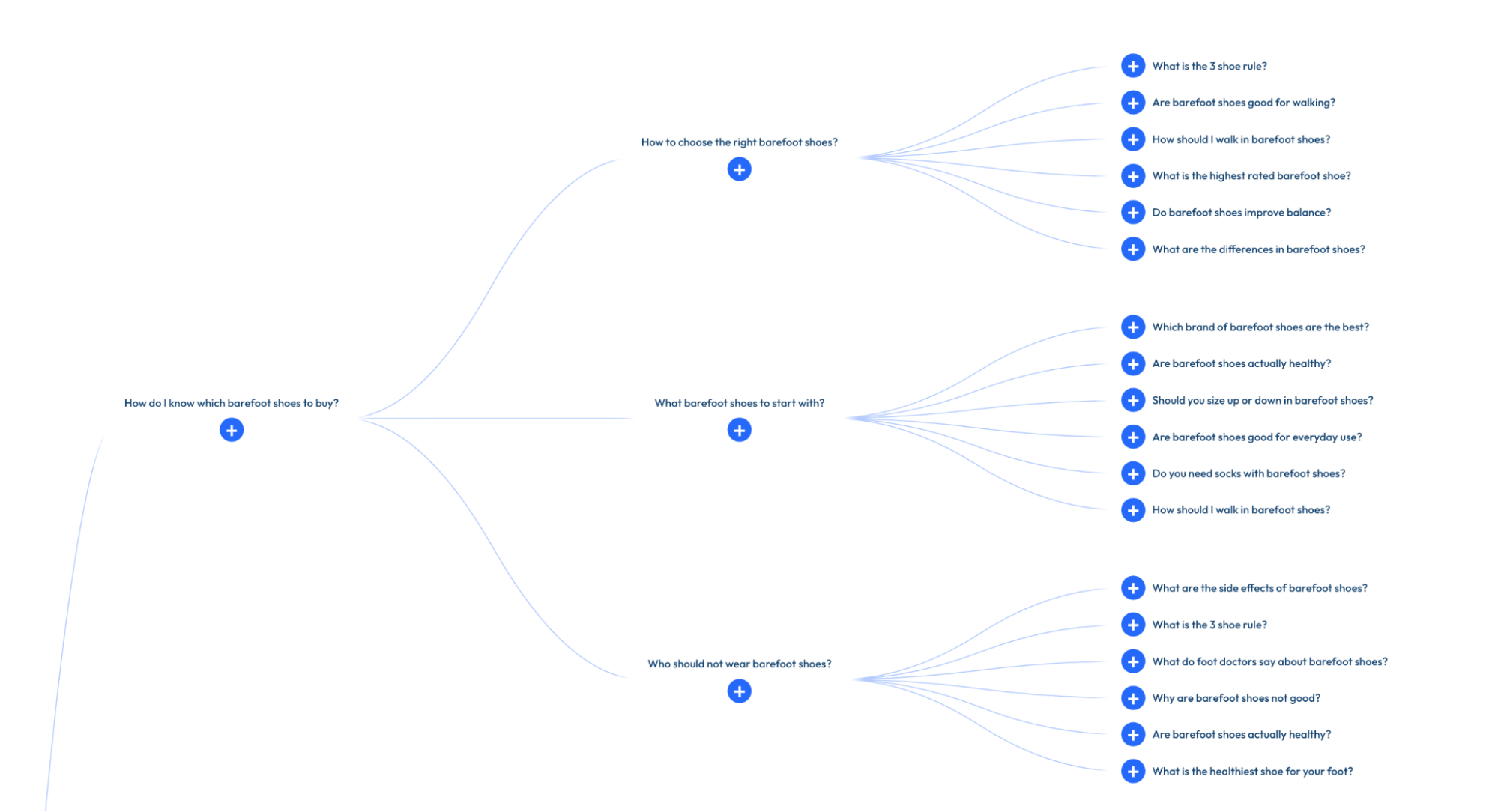
You enter a keyword and get a map of related questions, each one expanding further when clicked.
This shows you how a searcher’s query can expand and which questions relate to the ones you care about.
For Widetoes, the process for searching for queries using AlsoAsked looks like this:
Run multiple searches in AlsoAsked
I ran multiple different searches in this category, varying each seed keyword to catch different search queries. For example:
- The main category: [barefoot shoes]
- A category angle: [barefoot shoes healthy]
- A best-of framing: [which brand makes the best barefoot shoes]
- A use-case: [which barefoot shoes are best for running]
- Brand names on their own: [vivobarefoot shoes], [altra barefoot shoes]
- A brand plus a question or use-case: [are vivobarefoot shoes good], [why are altra barefoot shoes good for running]
- A retail intent: [barefoot shoes store uk]
The search term you choose influences what you get back. A main category term returns a lot of broad, educational questions and a lot of noise. A retail or brand-plus-use-case term stays tighter and pulls in more users with commercial intent.
Searches may also show off-topic suggestions along the way; that is normal and you strip them out in the next step. Running searches for many related keywords gives you coverage you would miss with just one or two primary topics.
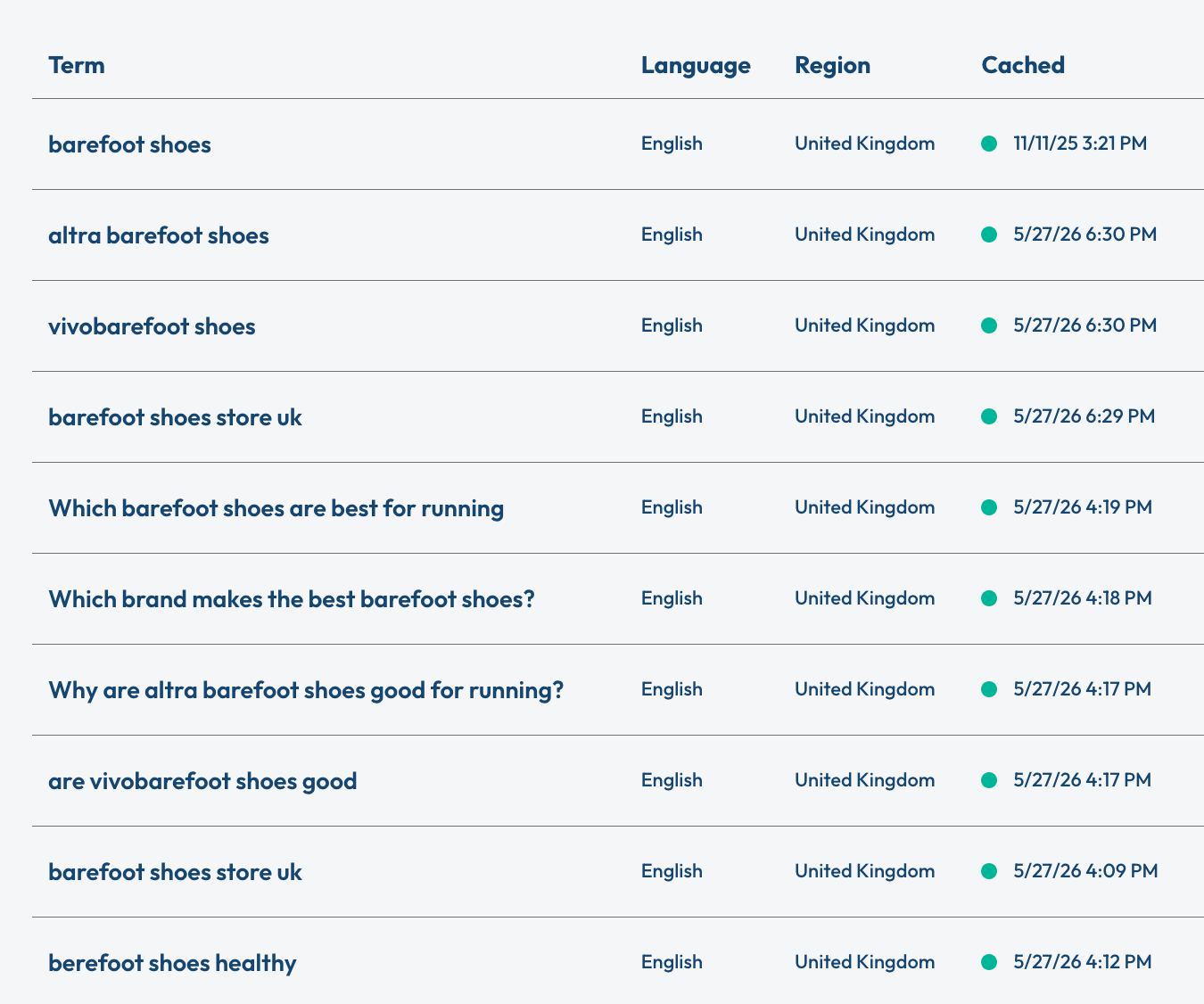
The barefoot shoe category had a lot of queries, so there is a lot of data to work with. Next, export everything into CSV files.
Categorise the queries into different search intents using AI
Once I've exported and de-duplicated the questions, I sort each one into search intent categories that I use. You can categorise a small sample of queries by hand, but for a larger set, it is faster to use an AI assistant (I used Claude).
I gave the AI the categories below and asked it to sort each question into one of them. You can use the same ones or define categories that better fit your own brand and market.
Intent | What it covers | Example |
Brand/core product | A specific brand: What it is, who makes it, whether it's any good | [Are Vivobarefoot shoes any good?] |
Comparison/best-of | Brand-versus-brand, ranked lists | [Is Hoka or Altra better?] |
High-intent/transactional | A named product for a use case, plus buying, sizing, fit, and where-to-buy | [Where can I buy barefoot shoes in the UK?] |
Feature/capability | Specific functionality | [Do barefoot shoes have arch support?] |
Category/educational | Top-of-funnel concepts: How they work, transitioning, foot health | [Are barefoot shoes good for your feet?] |
Off-topic/exclude | Not a tracking target at all | [Why do some people walk barefoot?] |
You should also have your AI assistant include a column for relevance (e.g., high, medium, low, off-topic) so that you can more easily prioritise your list of prompts.
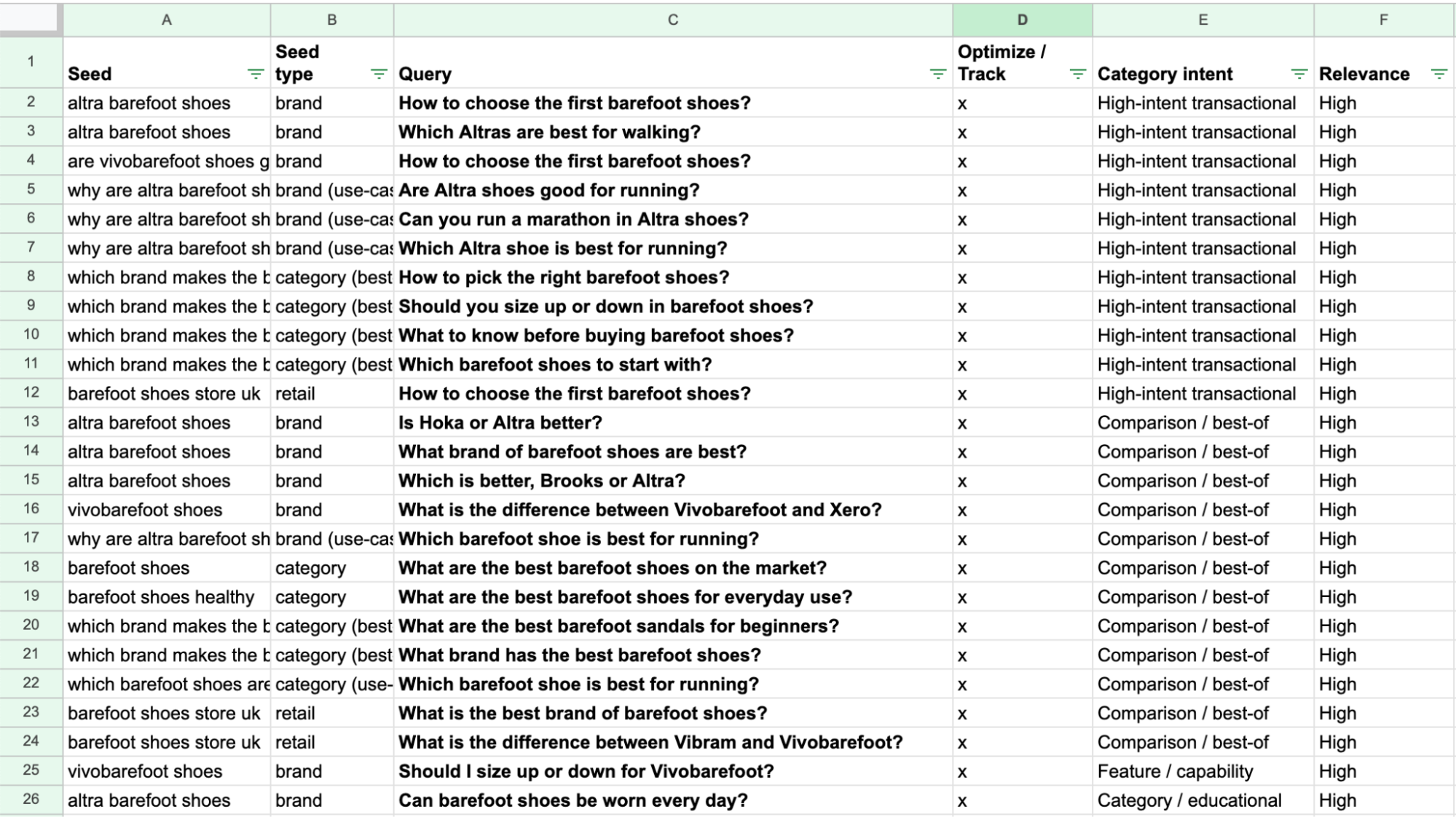
Select relevant terms to track
In this example, I found nearly 1,000 search queries. From this list, I will choose a diversified set of queries to track and work with. Here's why:
- Tracking thousands of queries costs a lot of money, and you will likely waste the majority of your budget.
- You will not be able to optimise all of them, so you are creating noise in your AI visibility tracking.
Instead, choose the queries that matter most for your brand: a balanced spread across the intents, weighted towards the ones with commercial value.
If you used your own categories, bias your tracking towards whichever ones sit closest to a purchase decision. For the categories here, that means Comparison/best-of and High-intent/transactional:
- Comparison and best-of queries indicate someone is deciding between options.
- High-intent/transactional sits at the point of purchase: buying, sizing, fit, where to buy. Someone asking these is ready to buy.
The other intents still matter: educational builds authority, brand and feature protect how you are described, and so on. But if time and budget are limited, the two above are where AI visibility most directly affects revenue. These are the queries you will track and optimise for.
Google Search Console
Search Console shows the real queries where your site has already appeared in Google results, including ones that never show up in People Also Ask: the long-tail, specific, or market-specific questions your actual visitors searched for.
That makes the AlsoAsked and GSC data complementary: AlsoAsked maps the full opportunity, where you could show up. Search Console grounds it in what your real audience already searches for.
Filter for question-based queries
In Search Console, open the Performance report and add a query filter set to "custom (regex)". Paste in this pattern to pull out only the question-style queries:
(?i)(?|^(who|what|when|where|why|how|which|whom|whose|is|are|am|was|were|do|does|did|can|could|should|would|will|has|have|had)\b|^(what's|who's|where's|when's|why's|how's)\b|^how\s+to\b)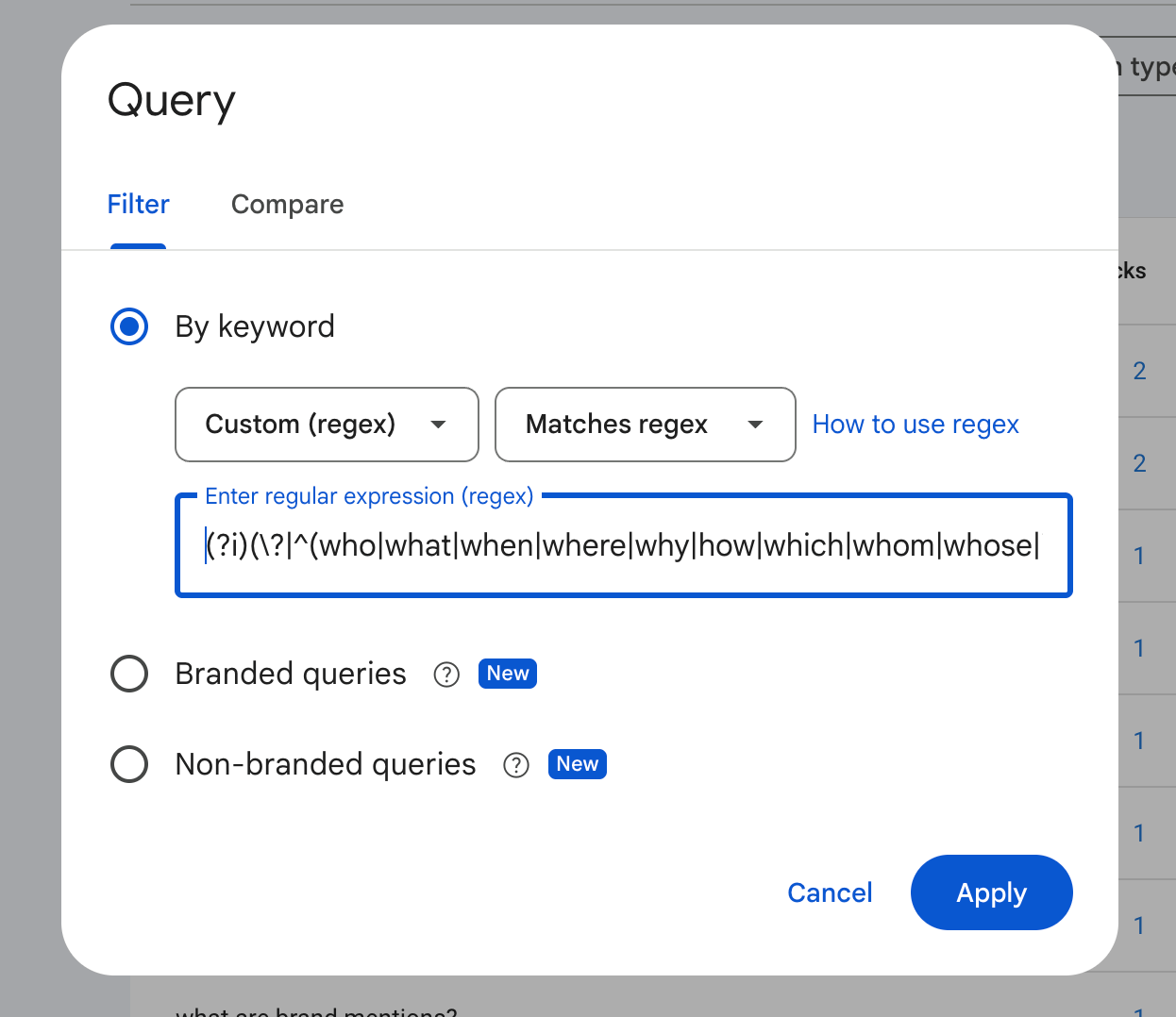
This filters your data down to the natural-language questions your site appears in Google for, which look like how people prompt AI tools. Because they come from your own Search Console account, this list is specific to your site and grounded in how your real audience searches.
Set the date range to the last 16 months (the maximum Search Console allows). Note that clicks and impressions for these queries are often low-volume. That is normal for question-based searches, so do not dismiss them just because the numbers are small.
Read the data
You will get a list of every question your site has already been visible for (during the designated timeframe). Keep in mind that this list reflects where you already rank, so not many queries in the data just means you do not rank for many questions yet.
Choose which queries/prompts to track
Apply the same logic as with the AlsoAsked data: sort by intent and lean towards Comparison/best-of and High-intent/transactional, the queries closest to a purchase decision. The difference is that these are real queries that already have impressions, so you know there is real search demand behind them. From this list, choose what to track and optimise for.
What to do with your prompt list?
How you optimise for the queries you track will depend on your objectives.
For some, the goal is to get your own site to appear as a source in AI answers. These are the content-based questions: answer them directly on a clear, well-structured page so AI can pull from your domain.
For others, the goal is to get your brand mentioned, and that usually happens through third-party sites. ‘Best’ and comparison queries fall here, since AI builds those answers from listicles and comparison articles, so getting featured in those lists is what can move the needle.
Some example approaches could look like this:
On-page (optimise on your own site)
- [How to choose your first barefoot shoes?]
- [Should you size up or down in barefoot shoes?]
- [Are zero drop shoes better for the knees?]
Off-page (win through getting mentioned in third-party listicles and comparisons)
- [What are the best barefoot shoes for running?]
- [What are the best barefoot shoes for beginners?]
- [What are the top barefoot shoes for wide feet?]
Once you start tracking and working on these queries, you can refine the list as you go, see which sources get cited, where you show up and where you don't, and how results progress as you work.
Some queries matter more than expected, others less, and new ones appear, so adjust as you learn. Make it a habit to return to AlsoAsked and Search Console every so often.
New questions will appear over time, so when you need fresh queries to optimise for, this is where you go back to find them.